
How to Choose a Photo for an AI Pet Video
Choose a sharp, well-lit cat or dog photo with visible paws. Check the file size, format, and dimensions before uploading to WandFX.
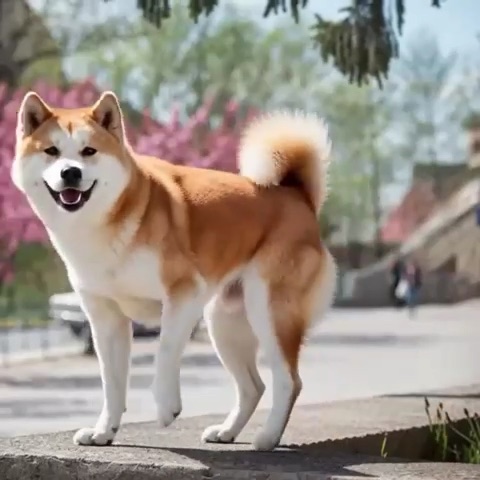
For an AI pet dance video, start with a sharp photo of one cat or dog. Look for a clear view of the face and paws, even lighting, and some space around the body. If you’re choosing between a close-up and a full-body shot for the same dance, use the full-body shot.
Keep the paws and face in frame
Look at the part of the body that needs to move. A moonwalk needs room around the legs, so a crop that ends at the chest leaves much of the intended movement out of the input. For a side-to-side groove, leave space on both sides. A photo of a pet standing on a clear patch of floor or grass gives you a simple starting point.
If your favorite photo is a close-up, look for an uncropped original before taking another one. Avoid trimming the paws or ears just to make a square image.
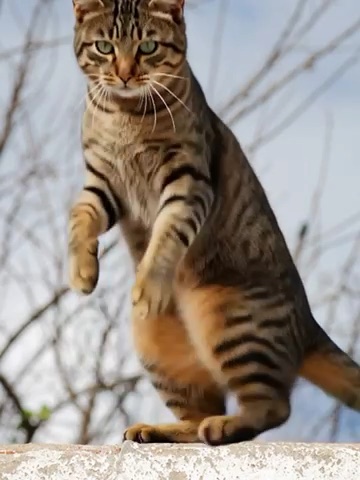
A frame from a generated Pet Dance sample. Use a source photo with room above the head and below the paws so the pose has space to change.
Choose light that shows the coat and eyes
Check the photo at its normal size. If you can see the eyes and tell where each paw meets the ground, you have a useful starting image. For a dark coat against a dark sofa, try daylight by a window or a lighter background. A sharp photo with simple surroundings is easier to assess than a blurred action shot.
Check the file before uploading
WandFX accepts JPEG, PNG, and WebP files up to 5 MB. Each side must be 300–5,760 pixels, and the width divided by height must be 0.4–2.5. A 900 × 1,200 portrait and a 1,200 × 900 landscape both meet the dimension and ratio limits.
If the photo exceeds 5 MB, export a smaller copy while keeping both sides at or above 300 pixels. Upload only a photo you have permission to use, with one pet and no people. Once the photo passes those checks, choose the movement you want to try. Browse the pet video effects