
How to Make AI Pet Videos With Sound From One Photo
Make a cat DJ, a dog drummer, or a pet heart gesture with native AI sound. See photo requirements, real samples, costs, and download steps.
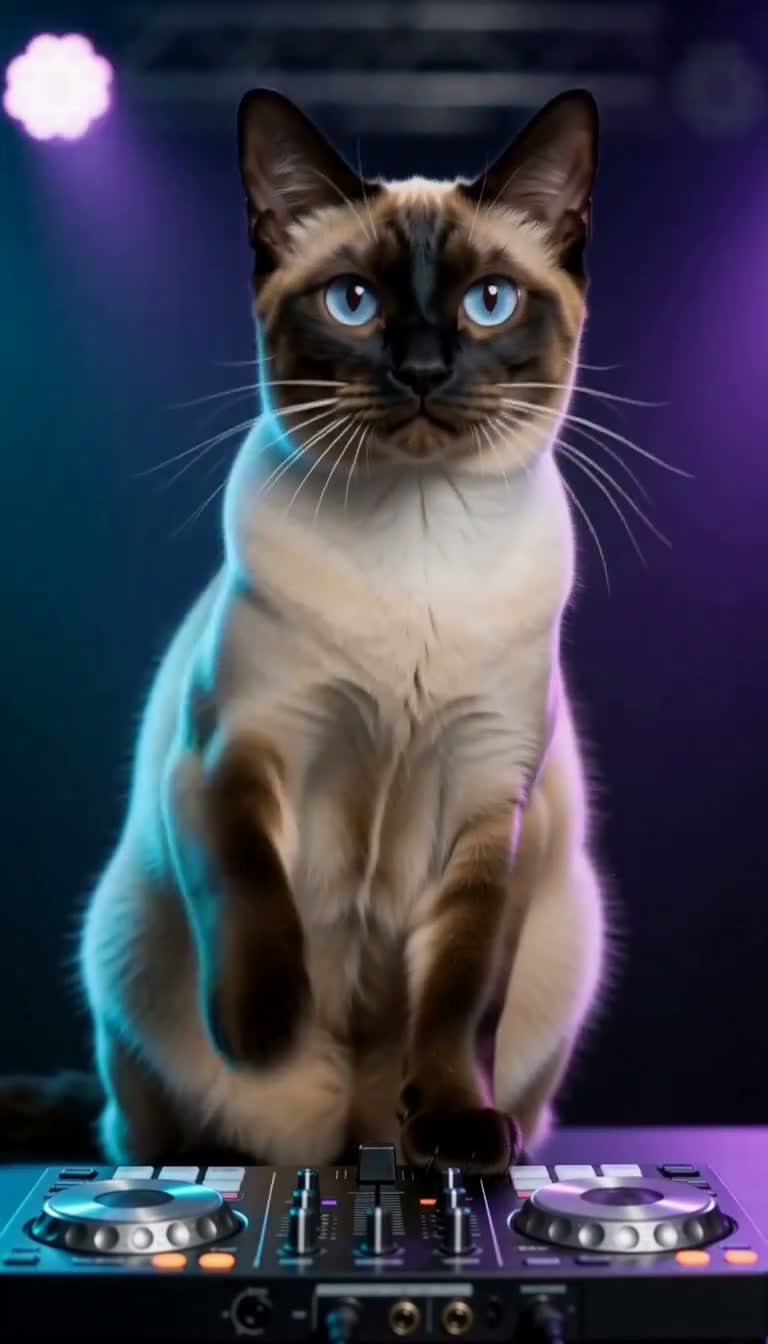
You can make AI pet videos with sound in WandFX from one cat or dog photo. Choose DJ Cat, Dog Drummer, or Pet Bicep Heart, upload your image, and generate a five-second vertical clip. These three effects use MiniMax H3 at 768P and cost 35 paid credits per generation. You do not need to write a prompt.
We built these presets around a short action with an audible setting. Choosing between them starts with the scene you want your pet to perform. The samples below show actual generated outputs, using freshly AI-generated source pet photos.
Choose the scene by watching the movement
DJ Cat puts your pet behind a DJ controller. In our published sample, the left paw rubs the deck, the right paw moves the fader, and a raised paw ends the performance. Watch the paws and listen to the clip before choosing this scene for your photo.

The DJ Cat sample places the pet behind the controller. Play the video to see the paw movements and hear its generated audio.
Dog Drummer gives the pet drumsticks and a kit. Our sample shows alternating hits followed by a final water splash. This scene makes the action easy to read through the instruments, sticks, and visible strikes.
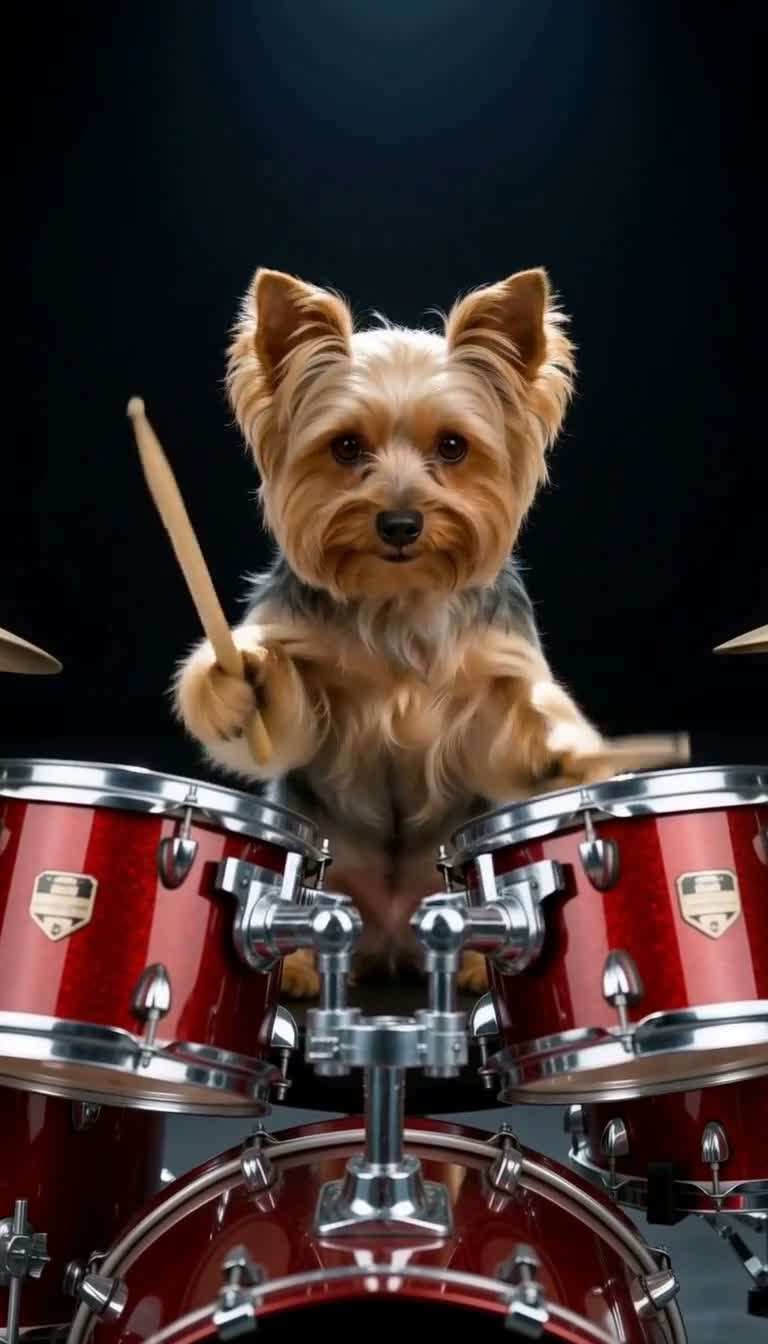
The Dog Drummer sample uses a red kit. The full clip includes alternating strikes and a water splash at the end.
Pet Bicep Heart is a stylized pet adaptation of a flex-and-heart gesture. The published output makes a small flex, then brings the paws together at the chest. A golden heart outline emphasizes the shape. Expect a pet interpretation of the gesture, with paw anatomy and poses that can vary, rather than an exact human hand pose.
Prepare one clear photo
Choose a JPG, PNG, or WebP file up to 5 MB. Each image dimension must be between 300 and 5760 pixels. Keep the pet’s face readable and leave space around the body and front paws. A close crop that hides the paws gives you less visual information for an action built around them.
Use a photo of one cat or dog so the intended subject is clear. If you are choosing between several pictures, start with the one with fewer obstructions across the chest and legs. Our guide to choosing a pet photo explains how framing affects the starting image.
Generate and check the finished clip
- Open the effect you want from the pet effects collection.
- Upload your photo and check the preview for accidental cropping.
- Review the five-second, 768P, 9:16 output and the 35 paid-credit cost. Complete the required photo permissions and generation consent, then select Generate video.
- Open the completed result, play it with sound, and check the face, paws, action, and ending before downloading.
These presets request original AI-generated sound as part of generation. MiniMax describes H3’s ability to produce unified audiovisual output in its H3 feature guide. Exact audio content, timing, and motion vary between generations. A beat or strike can land differently from the sample.
Homepage previews autoplay muted. Use their sound toggle to listen, or open the effect’s detail sample and play it with sound. Checking a muted preview alone cannot tell you how the finished clip sounds.
Questions before you spend credits
Can I use trial credits for these effects?
DJ Cat, Dog Drummer, and Pet Bicep Heart each require 35 paid credits. Welcome trial credits apply only to the four-second, 15-credit Quick Preview option for the original Pet Dance, Pet Moonwalk, and Pet Groove effects. Check pricing when deciding how many generations to make.
Do I need a video or an audio upload?
One supported cat or dog photo is enough. The preset supplies the instructions for the action and sound. You do not need to record your pet performing it.
What happens if generation fails?
Credits are returned for confirmed technical failures. If a submission’s status is uncertain, it is reconciled before a final outcome is assigned. Check the existing job in My creations before starting another attempt.
Does the download include sound?
Yes. The downloaded video preserves its generated audio. Play the saved file with your device’s sound enabled to check it before sharing.